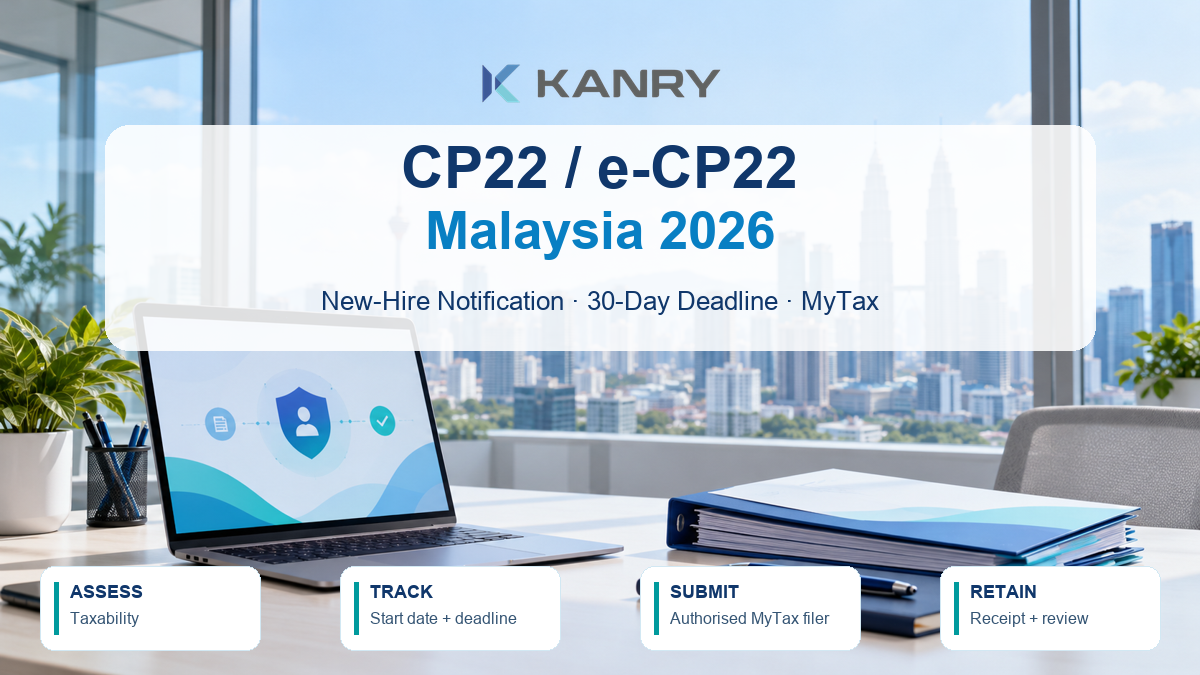

When you hire in Malaysia, add a tax notification assessment to onboarding. Under subsection 83(2) of the Income Tax Act 1967, an employer must notify HASiL within 30 days after employment starts for a new employee who is chargeable or likely to be chargeable to tax on employment income. Since 1 September 2024, submit this notification online through e-CP22 in MyTax; paper filing is no longer accepted.
The test is not simply whether payroll currently deducts Monthly Tax Deduction (PCB), and there is no universal salary figure that safely decides every case. Assess the employee’s circumstances and remuneration, record your conclusion and track the deadline from the actual employment start date.
This guide covers private-sector employers in Malaysia. It explains the decision, information-gathering and filing controls; it does not replace individual tax advice.
What CP22 does
CP22 is the employer’s notification to HASiL about a qualifying new employee. e-CP22 is the electronic service used to file it in MyTax. It is an onboarding notification under subsection 83(2), not the employee’s annual tax return, the employer’s annual Form E, or the monthly PCB submission.
Keep those tasks distinct:
| Task | Purpose |
|---|---|
| e-CP22 | Notify HASiL about a new employee who is chargeable or likely chargeable to tax |
| PCB / MTD | Deduct and remit tax during employment when required |
| EA statement | Give the employee annual remuneration information |
| Form E and employee data | Complete the employer’s annual reporting obligations |
HASiL’s employer responsibilities page lists these as separate tasks. Kanry’s EA Form employer guide covers annual reporting.
Decide whether the employee is chargeable or likely chargeable
The statutory test applies to an employee who is chargeable, or likely to be chargeable, on employment income. Do not assume that a low monthly basic salary automatically exempts a new hire. Equally, do not automatically file for everyone without assessing the statutory test.
Review the expected employment income and relevant remuneration components using current tax rules. The official e-CP22 guide asks for monthly remuneration information that can include salary, wages, overtime, leave pay, commission, bonuses, cash allowances, benefits-in-kind, accommodation and other payments. A basic-salary-only check can miss relevant items.
This assessment is an employer control, not a tax computation shortcut. If the employee’s position is uncertain, ask a qualified tax adviser or HASiL. The official CP22 guidance does not provide a universal salary threshold for deciding whether every individual is likely to be chargeable.
A practical onboarding assessment
- Confirm the employee’s actual start date and the employing entity.
- Gather expected pay information, including variable and non-cash remuneration where relevant.
- Assess whether the employee is chargeable or likely chargeable under current tax rules.
- Record the basis, reviewer and decision date. If you determine that notification is not required, retain a short explanation of why.
- If the test is met, assign a named filer and calculate the 30-day due date from commencement.
Hypothetical example: A retail group hires a sales executive on 3 November. The offer includes basic salary and a sales commission plan. HR records the start date, asks payroll for the expected pay components and submits the e-CP22 assessment to the tax or payroll reviewer. The team does not use basic salary alone to close the notification check.
Submit through MyTax within 30 days
HASiL made e-CP22 mandatory from 1 September 2024. The employer or authorised representative needs the appropriate MyTax access and employer role. Prepare access before the first hire; resolving account permissions after the deadline has started adds avoidable pressure.
The HASiL e-CP22 user manual describes a workflow that includes:
- Accessing e-CP22 through MyTax using the employer’s digital certificate and employer role.
- Entering the new employee’s details and relevant remuneration information.
- Reviewing the declaration and submitting it through the portal.
- Printing and keeping the receipt or acknowledgement, then checking the submitted records in MyTax.
The manual describes entering more than one employee in a submission. It also cautions that the system only permits an employer to submit e-CP22 once on the same day. If several qualifying hires are approaching their deadlines, organise the submission batch and authorised signatory in advance. Verify current portal behaviour in MyTax because its screens and procedures may change.
The manual lists identity details, nationality, date of birth, contact and address information, employment start date, designation and expected employment information. It also includes fields for remuneration, and certain personal or prior-employer details. Use the current portal prompts to determine what is required for the case; do not collect extra personal documents “just in case.” Store necessary records with restricted access.
Keep filing evidence and close the control
For each filing or documented no-file assessment, retain a compact record showing:
| Record | What to keep |
|---|---|
| Employee and start date | Verified identity reference and commencement date |
| Taxability assessment | Expected remuneration basis, decision and reviewer |
| Deadline control | Due date and assigned filing owner |
| Submission | Acknowledgement or receipt, submission date and employee reference |
| Corrections | Follow-up, corrected information and supporting correspondence |
HASiL’s employer guidance states that employer records should be kept for seven years. Apply your organisation’s access, retention and personal-data controls to the supporting onboarding information.
What if the deadline is missed?
Act promptly. Recheck whether subsection 83(2) applied, confirm the start date and remuneration details, and submit through the current e-CP22 process. Keep the receipt and document the reason for delay and corrective action. If information is incomplete, the portal rejects the filing or the tax position is uncertain, contact HASiL or a qualified tax adviser.
HASiL states that failure to comply without reasonable excuse may, on conviction, result in a fine of RM200 to RM20,000, imprisonment for up to six months, or both. The authority also identifies potential employer responsibility for tax that should have been paid or deducted. These are statutory consequences, not automatic penalties for every late filing; the circumstances and enforcement process matter.
Keep CP22 separate from contract stamp duty and leaver forms
CP22 is triggered by a qualifying new hire. Employment-contract stamp duty is a separate assessment under stamp-duty rules. A stamp-duty exemption does not itself remove an e-CP22 notification duty, and an e-CP22 filing does not decide stamp duty treatment. See Kanry’s contract stamp-duty coverage and verify current HASiL guidance before acting.
At an employee’s departure, assess CP22A or CP21 separately where applicable. Kanry’s CP22A tax-clearance guide addresses offboarding. A CP22 assessment at onboarding does not replace those later checks.
Frequently asked questions about CP22
What is Form CP22 used for?
It is an employer notification to HASiL about a new employee who is chargeable or likely to be chargeable to tax on employment income. The filing is made online through e-CP22 in MyTax.
When is CP22 due?
Where subsection 83(2) applies, submit within 30 days from the date employment starts. Use the actual commencement date and assign a filing owner promptly.
Does every new hire need CP22?
No. The statutory test concerns an employee who is chargeable or likely to be chargeable on employment income. Assess the employee’s circumstances and remuneration; do not rely on a universal salary cutoff or PCB status alone.
Can employers still submit CP22 on paper?
No. HASiL requires new-employee notifications to be submitted through e-CP22 in MyTax from 1 September 2024.
What should we keep after filing?
Keep the employee start date, taxability assessment, assigned deadline, submission acknowledgement and any correction records. Apply HASiL’s record-retention guidance and your organisation’s access controls.
Make the 30-day notification assessment part of onboarding
An effective control connects the confirmed start date, expected remuneration, taxability decision, authorised MyTax filer and submission evidence. Assign an owner and backup so hires do not sit in a shared inbox while the filing window runs.
Contact Kanry Search to discuss HR and payroll administration support for your Malaysian workforce.
General employer information reviewed on 26 October 2026. Confirm the current statutory position and MyTax process with HASiL or a qualified tax adviser for individual cases.